BEFORE YOU HAND OVER THE DEVICE
Create a song card on a shared computer
Use your own device for a sensitive note. If you use a shared computer, inspect both the form and the finished card before leaving: an empty preview does not prove the message fields are empty. Close your card tabs and sign out of any messaging service you used. Clearing a screen does not cancel a link you already shared.
What we observed in a browser test
On October 21, 2026, we used invented names and the sentence “Synthetic privacy test. No personal information.” on this site's creation page. The music address was a format-only test link, not a recommendation or a playback test.
Refresh and Back did not behave alike
- After creating the preview and reloading the page, the recipient and message fields were empty and the card preview was hidden.
- After creating another preview, opening Sharing guides and using the browser's Back action, the message text returned even though the recipient field was empty and the preview was hidden.
- After manually clearing the message and sender fields, we checked the form values again; the recipient, sender and message were empty.
These observations describe one browser session, not every browser or setting. In particular, do not rely on a refresh as a universal cleanup method. Look at the editable fields themselves. A browser can restore form content independently of the card's preview.
A handover check you can actually do
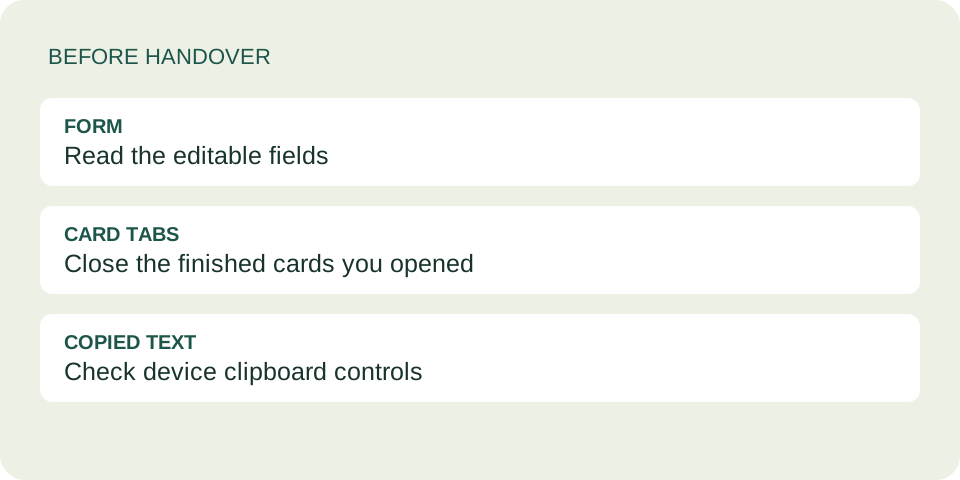
- Finish on purpose. Decide whether the note should be sent or abandoned. If keeping it, save it somewhere you control before clearing the working fields. Do not leave your only copy on a borrowed computer.
- Inspect the form. Check To, From, Your message, the music link and any search text. Remove your entries when you are done. An anonymous signature option does not remove the message or recipient name.
- Inspect every card tab you opened. The finished dedication page is separate from the editor. Close those tabs too. Clearing the editor does not change an already-created dedication address.
- Check the sending app separately. A chat draft, sent message or signed-in account belongs to that service. Use its normal sign-out controls on a borrowed device; closing the song-card tab does not sign you out of your email.
- Consider copied content. If you copied a message or card link, it may remain in the device's clipboard. Use the device's normal clipboard controls if available. This website cannot promise to clear clipboard history, synchronized copies or someone else's saved copy.
Do not delete another person's browsing data while trying to tidy up your own session. If you cannot confidently separate your data from theirs, avoid typing a private note there in the first place.
Three different things to check
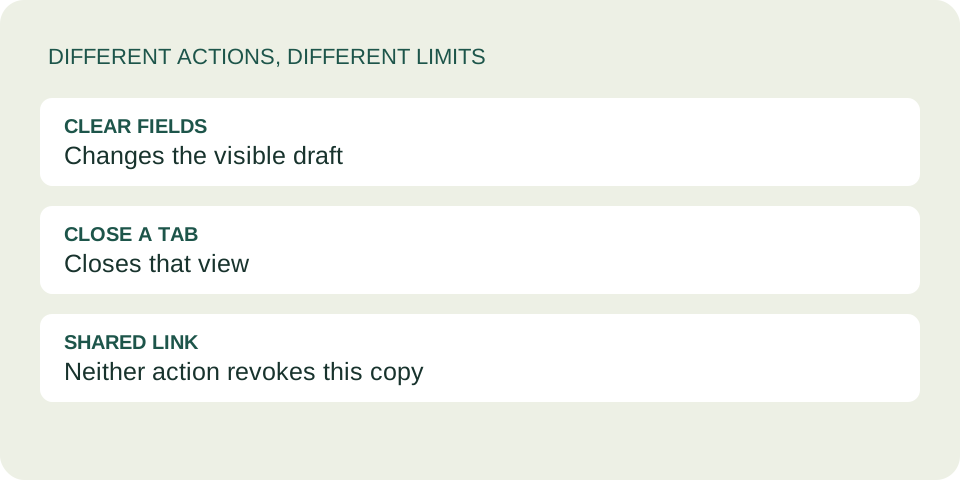
Visible fields: what another person can immediately read on the editor. Browser and device copies: tabs, restored form state, clipboard or history managed outside this tool. The shared link: a complete dedication address contains the card data and remains separate from the editor.
For example, suppose you clear a draft after sending its link to a friend. That tidies the editor; it does not edit the card they received. Conversely, a hidden preview is not evidence that the draft text is gone. These are different checks, so do not use one as proof of another.
This tool has no account-based draft list or logout button. That does not mean a shared browser leaves no traces. For the limits of replacing an already-shared card, read changing a song dedication.
Questions before handing the computer back
Is refreshing enough?
Not a reliable rule. Our refresh cleared fields in one test, but returning with Back restored the message in another. Inspect the actual fields and open tabs.
Does anonymous mode protect the whole session?
No. It changes the card's sender attribution. It does not hide your screen or sign you out of the app you use to send the card.
Does clearing my draft revoke the card?
No. A complete dedication link can still display its encoded content. Do not put a secret in a link and then rely on clearing the editor.
What if I already left the shared computer?
Do not assume the screen is clear. If possible, return to close your tabs and sign out of your own sending account. Follow that account provider's session-management options if needed. The card tool cannot remotely clear the borrowed computer.