SHARING CHOICES
Can you send a song anonymously?
On DedicationCard, the anonymous option leaves your signature off the card. It does not hide the identity of the chat or email account you use to send it. Choose it for an unsigned note, not a promise that the recipient cannot identify you.
Make a song dedication →Three things to check separately
The card signature
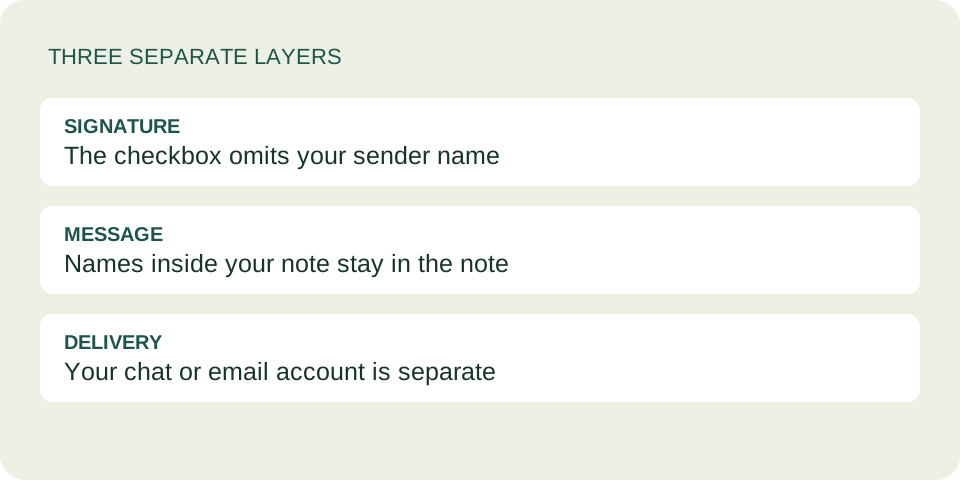
Selecting Keep my name anonymous leaves the generated sender field empty. The card displays a generic sign-off instead of the name you entered.
The delivery account
You share the result yourself. The checkbox cannot change the sender name, profile picture or address shown by your chat or email service.
The third check is the note itself. The tool does not remove a name you type inside the message, rewrite an identifying memory, or decide whether a song will reveal who chose it.
What we checked in our own tool
We ran the current creation code with synthetic names and a test message. With the option off, the generated card data retained the sender name and the plain-text share included a From line. With it on, the sender field was empty and that From line was omitted. The message and music selection were preserved.
In a separate case, we placed a sender name inside the message. Turning on the anonymous option left that text untouched. This is why checking the signature alone is insufficient.
These checks executed the site's code in an isolated test environment. They were not a live browser test or a test of a messaging service. They establish the checkbox's narrow behavior, not an anonymity guarantee across devices or services.
Choose the kind of note you actually want
A signed thank-you: leave the option off and enter your name. This is often the clearest choice when you want the recipient to connect the song with something you appreciate.
An unsigned gesture: turn the option on if you prefer no signature on the card. Accept that your delivery account or the note may still make the sender obvious.
A confidential conversation: this card is not designed to secure secrets. Use a communication method appropriate to that conversation rather than relying on an unsigned song link.
Two original example notes
These are invented writing examples, not messages from real users.
Clear and signed
“Thanks for helping me finish the project. This song has the same bright energy you brought to that last afternoon.”
Add your name in the sender field so the thanks has a clear source.
Unsigned, without a guessing game
“A little music for your afternoon. Hope there is a moment in it that makes you smile.”
Omitting a signature changes the presentation; it does not make delivery anonymous.
Why the link is not a secret vault
DedicationCard stores its card data in the part of the link after the # character. MDN explains that a URL fragment is handled by the browser rather than sent as part of the resource request. That does not stop someone who has the complete link from opening the card.
The data is encoded, not encrypted. The tool does not give each recipient a password or an access list. Anyone with the full dedication link can read it, and a recipient can forward it. Avoid putting confidential details in the note. Read our privacy explanation before including anything sensitive.
A short review before sharing
- Choose whether you want a visible signature, then create the card.
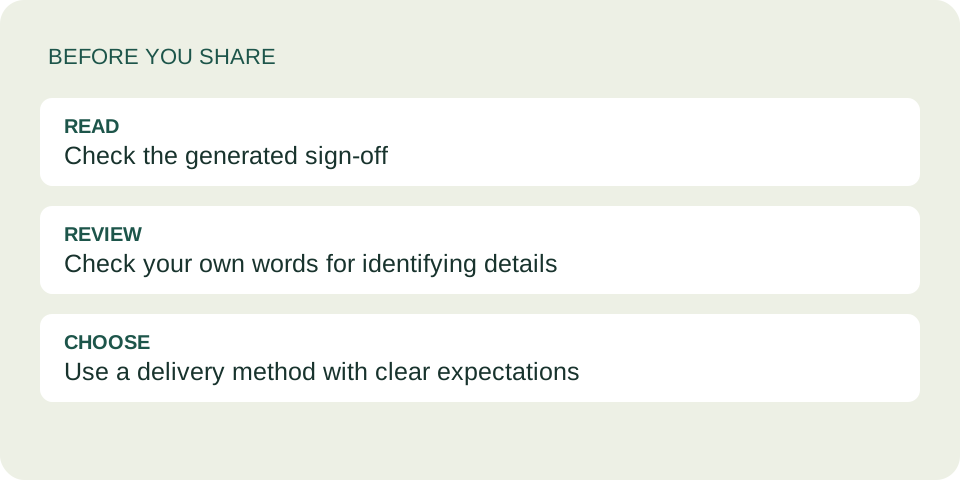
- Read the generated sign-off and the entire message. Look for any name you typed directly into the note.
- Check the account you will send from. Do not assume its identity is hidden.
- Share only if the recipient would welcome the gesture. Do not use an unsigned card to keep contacting someone who asked you to stop.
Common questions
Do I need a sender name?
No. Leaving it blank also produces a generic sign-off. The recipient name and message are still required by the tool.
Does the site send an anonymous email for me?
No. It creates a card and shareable text. You choose your own delivery method; there is no automatic email delivery.
Can I remove a signature from a link already sent?
Changing the form creates a new result. It does not update the data inside an old link that someone already has. Follow the correction workflow.
Can I promise the recipient will never know it was me?
No. The account, the message and shared context may identify you even when the card has no signature.
Send the meaning, with clear expectations
Decide whether to sign the card, then check how it will arrive. For the difference between sending the full card and only the music, see our sharing guide.